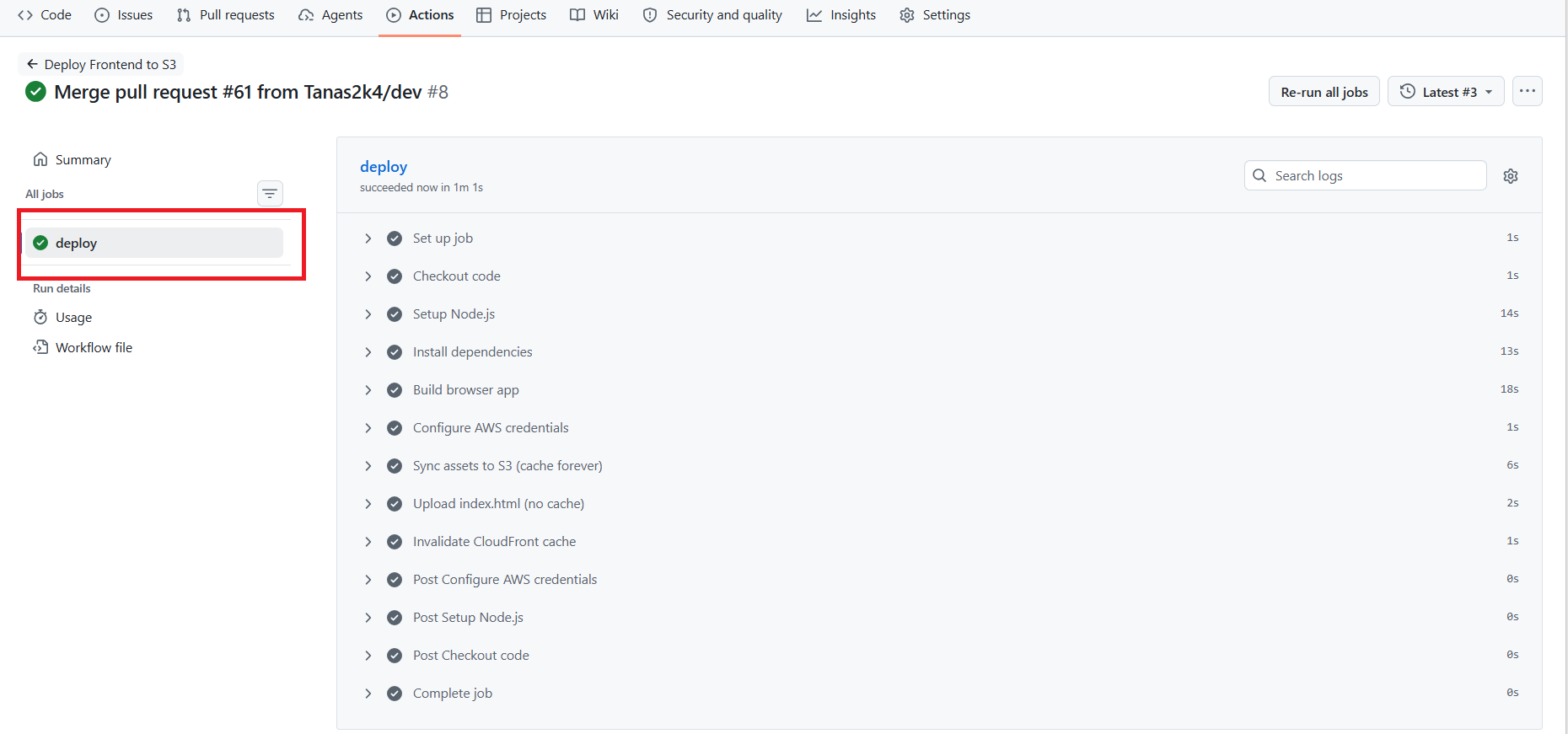
Deploy Frontend CI/CD with GitHub Actions
To optimize the application delivery pipeline, we configure a Continuous Integration and Continuous Deployment (CI/CD) workflow using GitHub Actions.
Whenever developers push new commits or merge code into the primary branch (main), the runner automatically installs NPM libraries via Yarn, compiles the React frontend assets with Node.js 22, synchronizes them to the Amazon S3 Bucket, and invalidates the CloudFront CDN cache.
CI/CD Pipeline Workflow
Code Push (main) ──► GitHub Actions Runner ──► Build Frontend (Yarn)
                                                       │
                                                       ▼
Invalidate CDN Cache ◄── CloudFront ◄── Sync dist/ to S3 Bucket
Step 1: Create an IAM Deployment User on AWS
To maintain secure access policies, do not use your root account. Create a dedicated IAM User (e.g., github-actions-deployer) with the following minimum required policies:
- AmazonS3FullAccess (or scoped to write to your frontend S3 bucket).
- CloudFrontFullAccess (or scoped to create invalidations on your distribution).
Upon creation, copy the Access Key ID and Secret Access Key to save in GitHub.
Step 2: Configure GitHub Secrets
- Navigate to your frontend project repository on GitHub.
- Go to Settings -> Secrets and variables -> Actions.
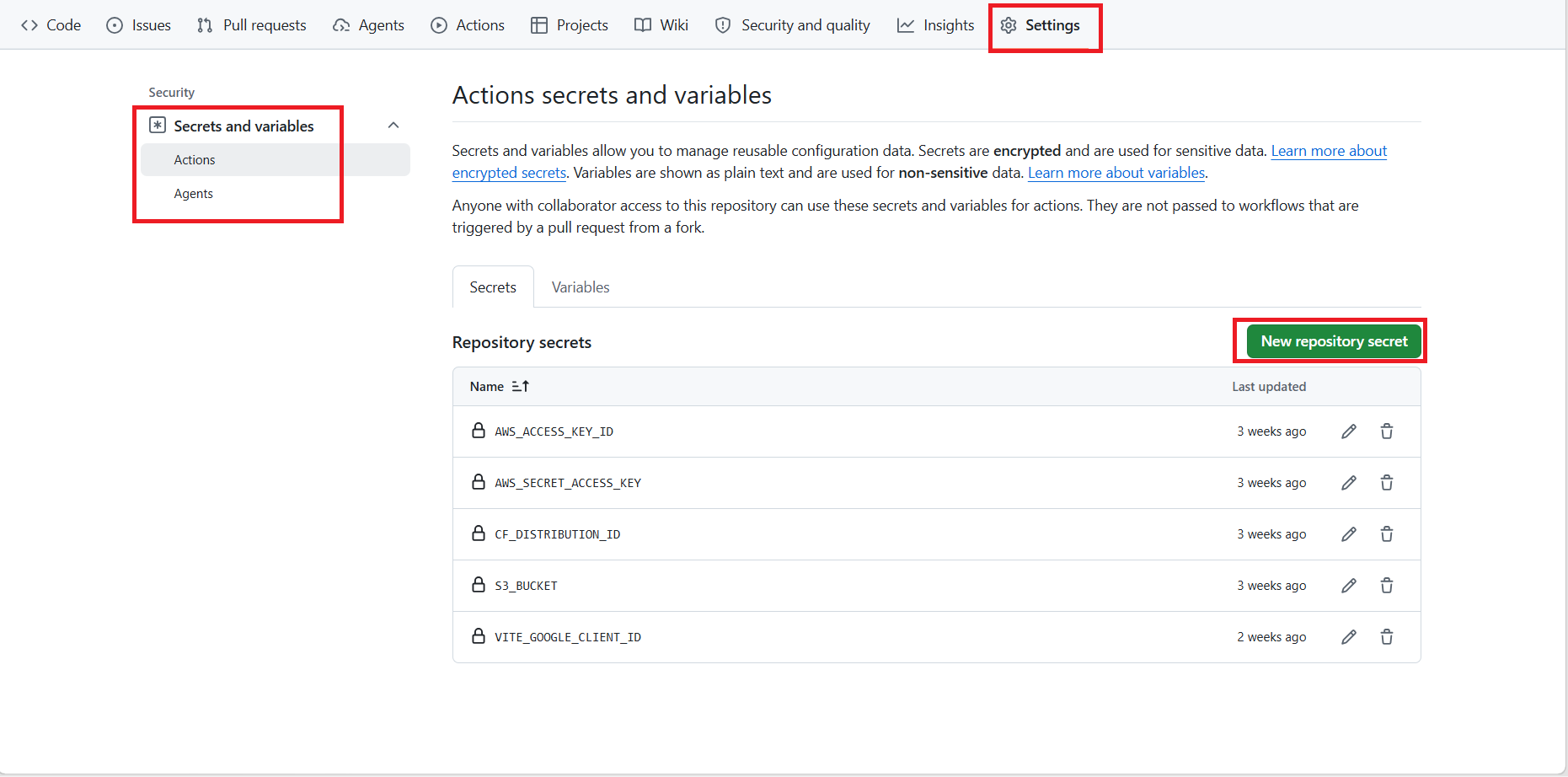
- Click New repository secret and define the following variables:
AWS_ACCESS_KEY_ID: The Access Key ID of your IAM deployment user.AWS_SECRET_ACCESS_KEY: The matching Secret Access Key.S3_BUCKET: The S3 static hosting bucket name (e.g.,rookwork.asia).CF_DISTRIBUTION_ID: The distribution ID of your CDN to trigger cache resets.VITE_GOOGLE_CLIENT_ID: The Google client ID (loaded during build runtime).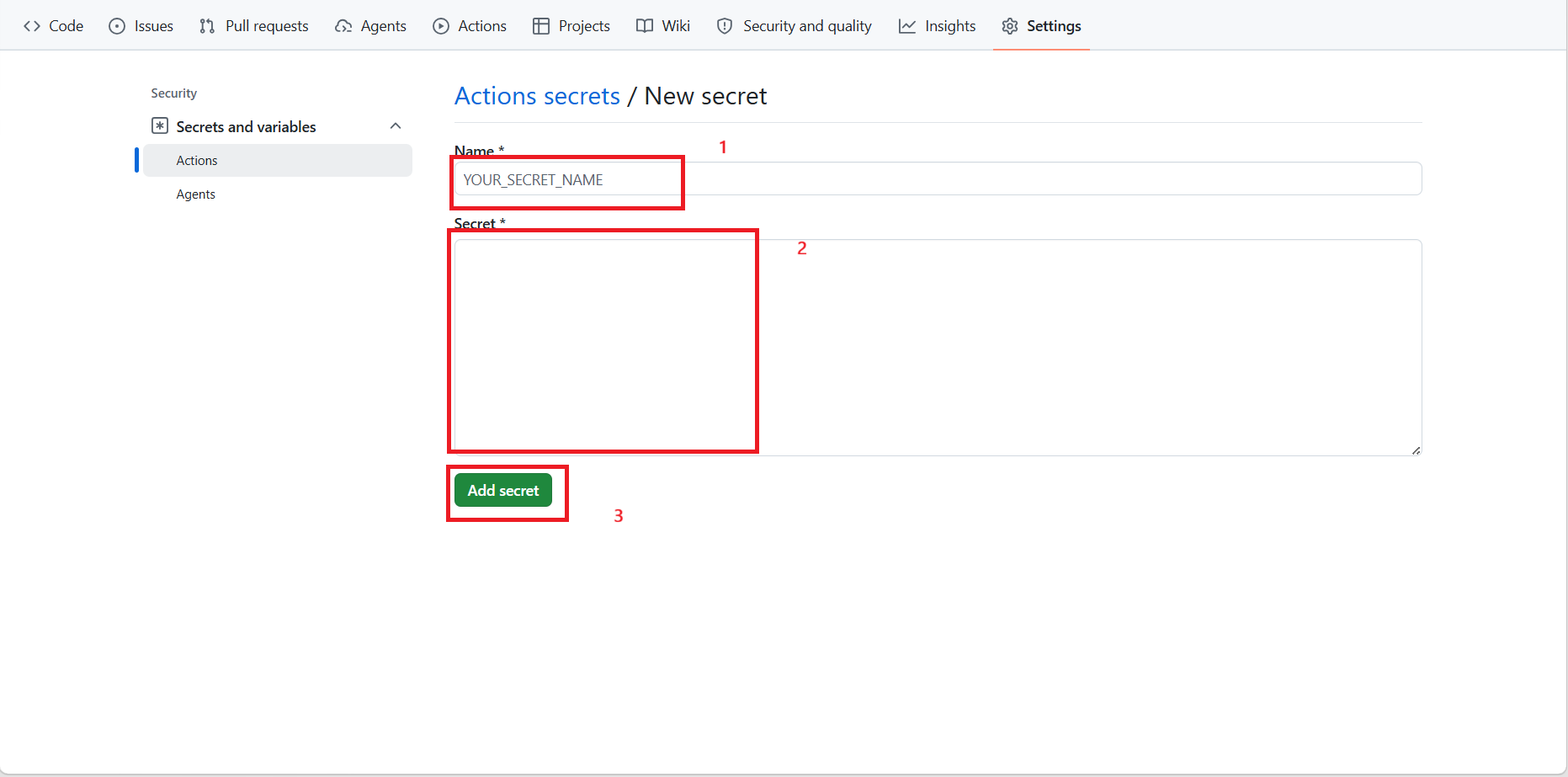
Step 3: Create the Workflow File
In the root directory of your frontend repository, create the .github/workflows/ directory structure and create the deployment configuration file .github/workflows/deploy.yml with the following content:
name: Deploy Frontend to S3

on:
  push:
    branches: [main]    # ← CHỈ nhánh main mới trigger

jobs:
  deploy:
    runs-on: ubuntu-latest

    steps:
      - name: Checkout code
        uses: actions/checkout@v4

      - name: Setup Node.js
        uses: actions/setup-node@v4
        with:
          node-version: 22
          cache: yarn

      - name: Install dependencies
        run: yarn install --frozen-lockfile

      - name: Build browser app
        run: yarn build:browser
        env:
          VITE_API_URL: https://api.rookwork.asia
          VITE_GOOGLE_CLIENT_ID: ${{ secrets.VITE_GOOGLE_CLIENT_ID }}

      - name: Configure AWS credentials
        uses: aws-actions/configure-aws-credentials@v4
        with:
          aws-access-key-id: ${{ secrets.AWS_ACCESS_KEY_ID }}
          aws-secret-access-key: ${{ secrets.AWS_SECRET_ACCESS_KEY }}
          aws-region: ap-southeast-1

      - name: Sync assets to S3 (cache forever)
        run: |
          aws s3 sync ./browser-app/dist s3://${{ secrets.S3_BUCKET }} \
            --delete \
            --exclude "index.html" \
            --cache-control "public,max-age=31536000,immutable"

      - name: Upload index.html (no cache)
        run: |
          aws s3 cp ./browser-app/dist/index.html s3://${{ secrets.S3_BUCKET }}/index.html \
            --cache-control "no-cache,no-store,must-revalidate"

      - name: Invalidate CloudFront cache
        run: |
          aws cloudfront create-invalidation \
            --distribution-id ${{ secrets.CF_DISTRIBUTION_ID }} \
            --paths "/*"
Step 4: Verify the Pipeline
- Make a minor text or layout change in your local frontend codebase.
- Commit and push the changes to GitHub:
git add . git commit -m "feat: test github actions pipeline" git push origin main - Open the Actions tab in your GitHub repository, and you will see the pipeline running.
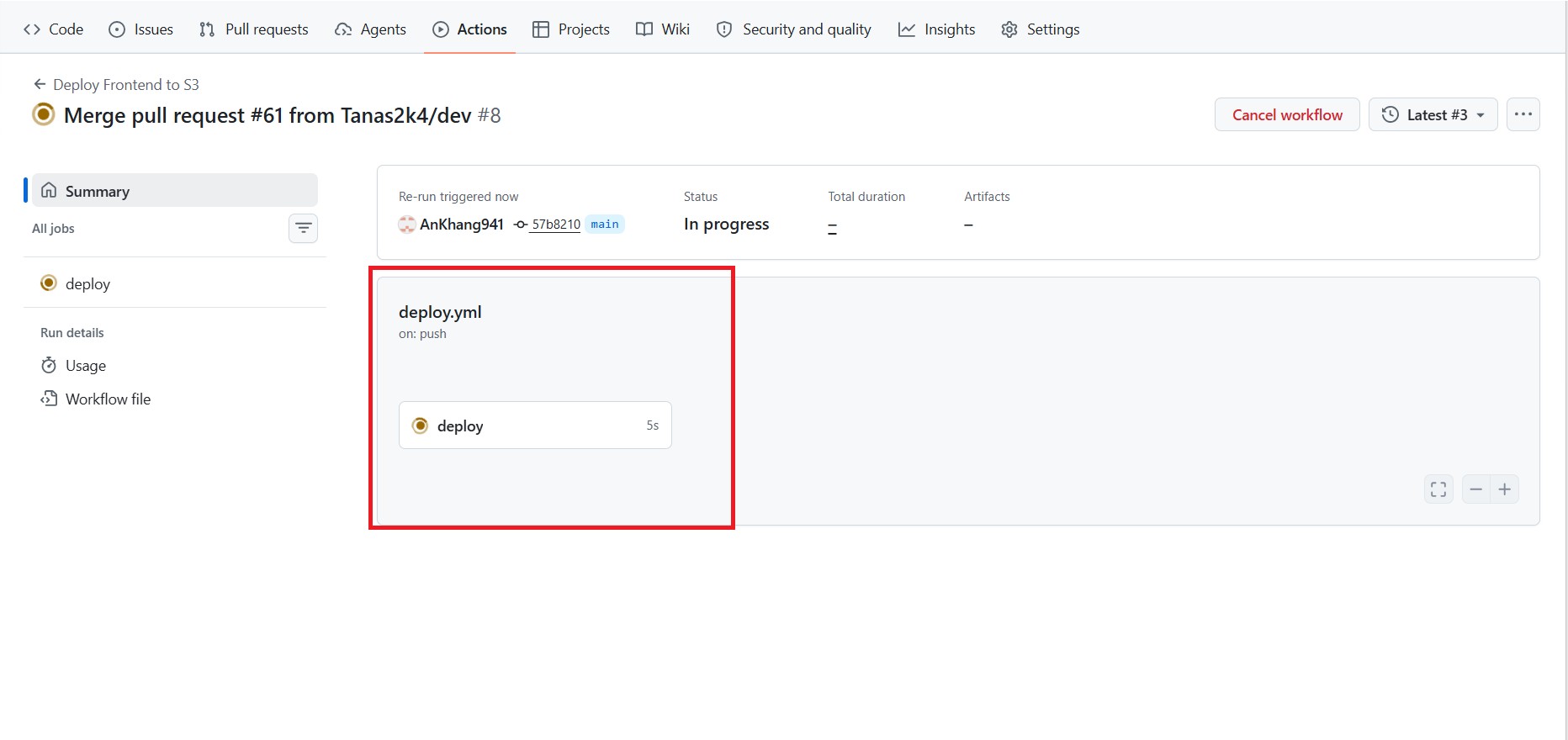
- Once all steps turn green, visit your custom domain (e.g.,
https://rookwork.asia). You will see the changes live instantly without performing manual server updates!